Product · Warehouse & Production

cayScan: warehouse and production on the scanner — driven by your abas.

A browser-based scanner application for handheld scanners, mobile data capture devices and touch terminals: goods receipt, picking, material withdrawal, stock transfers, stock inquiries, clocking. The special part: the screens are defined by your abas infosystem — cayScan renders what abas delivers.

In use at Stanzteile Augenstein — stamping and bending CFM Schiller GmbH — special-purpose machinery
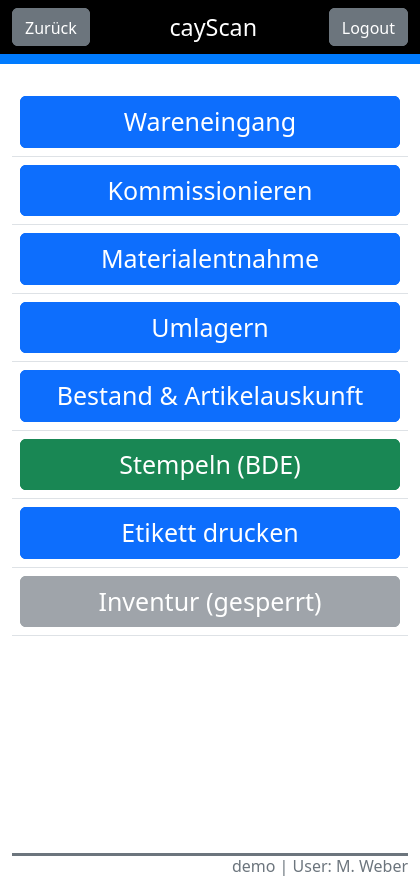
cayScan main menu with color-coded warehouse processes on the handheld scanner: goods receipt, picking, material withdrawal, stock transfer, stock inquiry, clocking and label printing

From goods receipt to production reporting

Eight processes out of the box — and every additional one is abas customizing, not an app update. All screenshots show demo data.

8
processes out of the box
0
app updates for new screens
100 %
browser-based
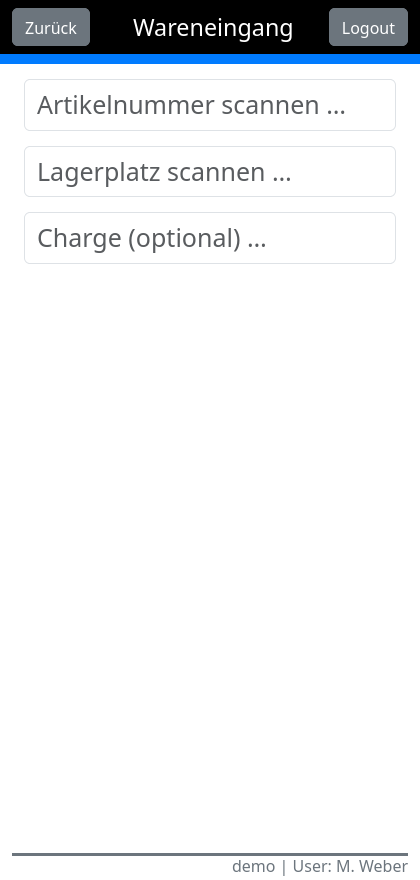
cayScan goods receipt: entry screen with large scan fields for article number, storage location and optional batch
Goods receipt

Scan. Post. Next package.

Goods receipt with delivery note number: scan the article, scan the storage location, add a batch if needed — the scan triggers the posting directly in abas. Large input fields and automatic focus mean nobody has to type at the receiving dock.

Delivery note number Batches optional Scan triggers the posting
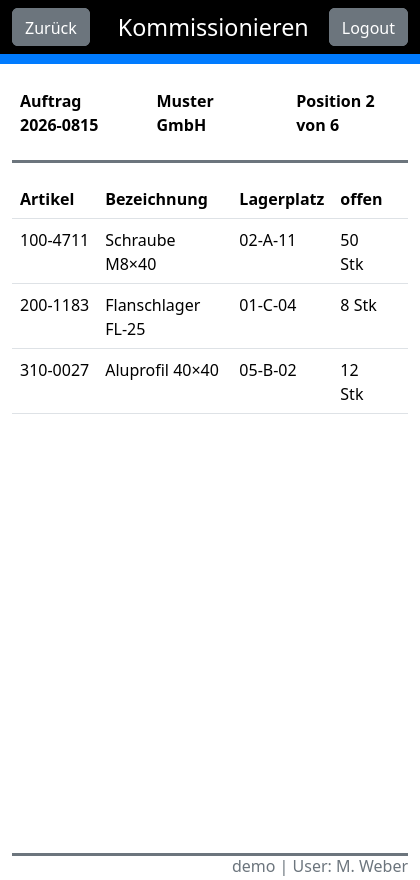
cayScan picking: pick list for an order with articles, storage locations and open quantities, position 2 of 6
Picking

The pick list keeps up.

Open the order and work through it position by position: article, storage location and open quantity are right there on the device, and every withdrawal is posted immediately. Material withdrawal for production follows the same pattern — scanning instead of paper slips.

Order-based Position by position Material withdrawal
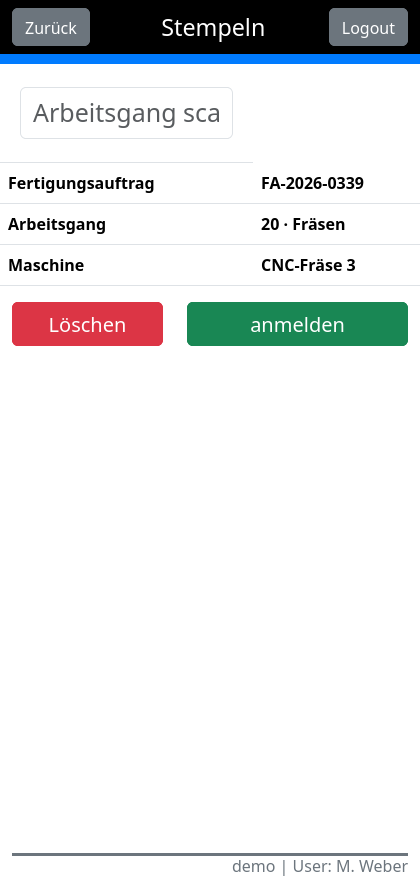
cayScan clocking (shop floor data capture): a production order with the milling operation at the CNC mill is clocked in by scan
Clocking / shop floor data

Production reports without a detour to the office.

Scan the operation, clock in, clock out later — the production reports land directly in abas. And if a label or a drawing is missing at the machine: label and drawing printing are part of the standard scope.

Clock in/out Production reports Label & drawing printing

Transfer, look up, carry on

Even the small tasks run on the device — without walking over to an ERP workstation.

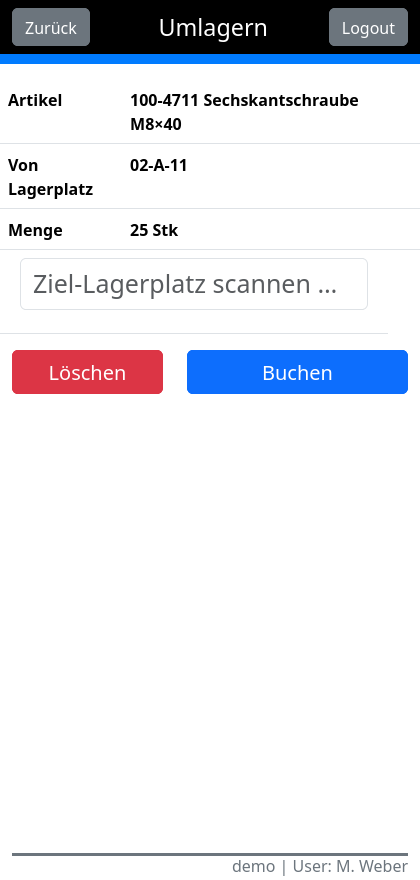
cayScan stock transfer: article, source storage location and quantity are recorded, the target storage location is being scanned

Stock transfer: article and source location are recorded — scanning the target location posts the transfer. (Demo data)

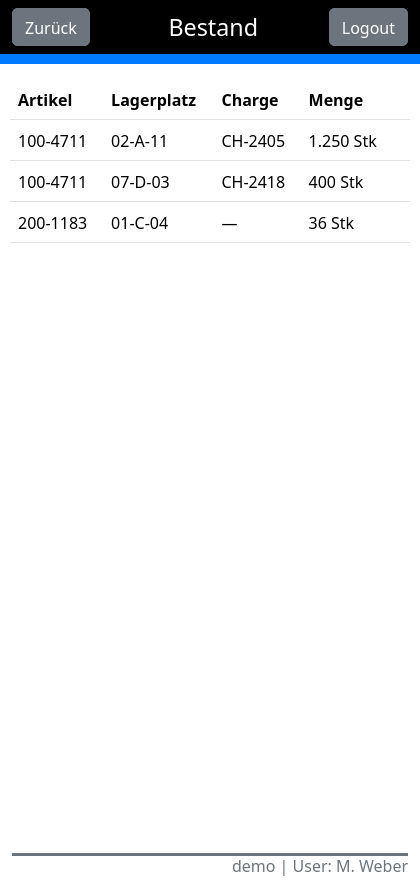
cayScan stock inquiry: stock levels of an article per storage location and batch in a clear table

Stock and article inquiry: stock levels per storage location and batch, available right at the shelf. (Demo data)

Why cayScan is built differently

Most scanner apps bring their own logic. cayScan gets its logic from your abas.

abas defines the screen. cayScan renders it.

Screens, workflows, buttons and colors are defined in the abas infosystem — the app displays what abas delivers. A new process is therefore abas customizing instead of app development: nothing to roll out, nothing to reinstall.

Infosystem-driven New processes without an app update

Built for scanner hands.

Large input fields, automatic focus on the next field, and the scan triggers the posting directly. Anyone who works with the device all day notices the difference after the first hour.

Large input fields Auto focus Scan posts directly

A shop floor is not a data center.

Wi-Fi has dead spots — cayScan knows that. On network problems, the app retries the posting automatically, with a visible countdown (“attempt 2 of 3”). A transaction buffer makes sure nothing gets lost along the way.

Automatic retries Visible countdown Transaction buffer

Many devices, clean postings.

Multi-user operation with cleanly separated sessions — every device works in its own context. Postings go through the abas REST API, transaction-safe. Delivered as a Docker container on your infrastructure: your data stays in-house.

Multi-user operation abas REST API Docker on-premise

In production, not a prototype.

cayScan grew out of a customer project and is in daily use today at Stanzteile Augenstein and CFM Schiller — in the warehouse and in production.

2 reference customers Daily production use

Goes well with

More from the same workshop — products and projects around warehouse, production and abas ERP.

See cayScan on a real scanner.

Browser-based means a demo is set up quickly. Tell us how your warehouse works — we'll show you what that looks like on the device.

Request a demo